An AI assistant on your own line
Answers and makes real calls in the caller's language, asks your questions, books showings and writes the call up in your CRM. It says it is an AI, and it never gives a price opinion or advice.

Every job in your real estate office,
done on time.

— The jobs
Pick a job. You'll see what the person does today, what goes wrong when it isn't done, and what the AI takes over.
Pick a job 6
Also built for Property management · Showing assistants · Marketing coordinators · Commercial real estate · New construction sales · Luxury homes · Relocation
Someone on your team types each new lead into the CRM and passes it to an agent, and the agent replies. When they're busy, the lead waits.
The job today
When it isn't done
What the AI doesAI
Read from the email
Lead read
From Zillow, Realtor.com, your website, your Facebook ads or an open house sign-in sheet. Each one is read the moment it arrives.
What the AI does
Noted for the reply
Listing checked · still for sale
Browser
It opens the home on your website or listing page, so the reply has the right status and price, and the lead goes to the agent for that area.
What the AI does
Already in your CRM: Sam signed in at your open house in March.Merged
Contact saved · 1 duplicate merged
CRM
A new contact, filled in field by field: phone, email, the home and the source. If the person is already in your CRM, the records are merged.
What the AI does
Text to DanaNew Zillow lead: Sam Rivera, 14 Maple St. The AI is replying now. now
Assigned to Dana · Dana notified
CRM and text
Assigned by the rules you set: by area, by price range, or in turn. The agent gets a text straight away.
What the AI does
Hi Sam, this is Dana's AI assistant. 14 Maple Street is still available. Are you working with an agent?✓✓
No. We're pre-approved, hoping to move by June.
Great. What area and price range are you looking in?✓✓
Westside, up to $450k.
Thanks! And how many bedrooms do you need?✓✓
3 at least.
Answers saved to Sam's record
Text and AI voice
A text within minutes. If they call and the agent can't pick up, the AI answers on your number. It asks your questions: timeline, pre-approval, area, budget, bedrooms.
What the AI does
4:00 Listing call · Linda M. 5:30 Buyer meeting · Sam Rivera Booked 6:30 Showing · 8 Cedar Street Booked · reminder set
Calendar
Into the agent's calendar around everything else, with a reminder the day before.
What the AI does
Call written up in the CRM
Your team
The ready leads are at the top of the agent's list, with the whole conversation. After the call, the notes go into the CRM.
What your team does
This one waits for your team
Grace wants a call · sent to Dana
Text and email
Leads who aren't ready get a check-in for months, by text or email, with new homes that match what they asked for.
What the AI does
And it keeps running
Every Monday: how many leads came from each source, how many were answered, and how many turned into meetings.
Your own process
Tell us what your team repeats every week. We'll map it and come back to you within one working day. The map is free, and it's yours either way.
Since August 2024, agents need a written buyer agreement signed before the first tour. Then come the home search, the showings and the papers for the offer.
The job today
When it isn't done
What the AI doesAI
Signed · Thu 7:14 pm
E-signature
Your brokerage's own form, filled in from Sam's record after Dana has talked it through with him. The AI sends it and reminds him; it never explains the terms.
What the AI does
Text to DanaSam signed the buyer agreement. Tours can now be booked. now
Agreement saved · Dana told
CRM and text
The signed copy is saved to Sam's record. Until then, no tour can be booked.
What the AI does
3 homes match · saved to Sam's record
Browser
Only the criteria Sam gave: area, price and bedrooms. The matches are saved to his record, and new ones are checked every morning.
What the AI does
Hi Sam, it's Dana's AI assistant. 3 homes match your search: 14 Maple St, 208 Linden Ave and 61 Juniper Ln. Which would you like to see on Saturday?✓✓
All three please! Morning is best.
Great. I'll ask the listing agents for Saturday morning times and confirm with you.✓✓
3 showings to book
Text
The homes go to Sam by text, with the links. His picks come straight back to the CRM.
What the AI does
Hi, this is Dana Brooks' AI assistant. Could my buyer see 208 Linden Avenue on Saturday at 11:00 am?✓✓
Yes. Lockbox is on the side door, code to follow.
Thank you. Confirmed for Saturday at 11:00.✓✓
Confirmed · Sat 11:00 am
Text
Each home Sam picked is requested from its listing agent, and the time and access notes are saved.
What the AI does
10:00 14 Maple Street · Sam Rivera 11:00 208 Linden Avenue · Sam Rivera Booked 12:00 61 Juniper Lane · Sam Rivera Route and times sent to Sam
Calendar
The homes in an order that saves driving, in Dana's calendar, with the times and addresses sent to Sam.
What the AI does
Packet complete · Dana told
Everything an offer needs, collected while Sam is still looking, so Dana can move the same day he finds the one.
What the AI does
Offer sent by Dana
Your team
Price, terms and advice stay with the agent. The AI has lined up everything needed to do it well.
What your team does
This one waits for your team
And it keeps running
For every buyer: agreement status, homes sent, showings booked, and whether the offer packet is complete.
Your own process
Tell us what your team repeats every week. We'll map it and come back to you within one working day. The map is free, and it's yours either way.
Getting a home on the market means forms, disclosures, photos, the listing text and the marketing. Then showings and updates, every week, until it sells.
The job today
When it isn't done
What the AI doesAI
Text to LindaWelcome! Your seller forms are in your email. Reply here with any questions. now
Listing created · seller forms sent
CRM and email
The day the listing agreement is signed, the listing is set up in your CRM and your own seller forms go out.
What the AI does
3 of 4 in · 1 reminder sent
Email and text
Each form is chased until it's back, by email first and then by text.
What the AI does
Checked against the seller form
Facts checked · lot size sent to Dana
Browser
The details from the seller form are checked against public records, and anything that doesn't match goes to the agent.
What the AI does
Mon 8:00 Cleaners Tue 9:00 Photos and video Booked Wed 10:00 Sign installed Seller told · house ready by 8:45
Calendar
The photographer, the cleaners and the sign booked in the right order, with the seller told what to get ready.
What the AI does
Approved by Dana
Your team
The listing text and the marketing are drafted for you. Nothing goes out until you approve it.
What your team does
This one waits for your team
Hi, can my buyers see 14 Oak Lane on Saturday?
This is Dana's AI assistant. Saturday 10:00 am or 1:30 pm are open. The seller asks for 24 hours' notice.✓✓
10:00 works.
Booked · seller told
Text
Requests from buyer's agents answered at any hour, only at the times the seller allows.
What the AI does
2 of 3 in · 1 reminder sent
Text and email
After each showing, the buyer's agent is asked for feedback, politely, with one reminder.
What the AI does
Hi Linda, your weekly update from Dana: four showings, the feedback is in, and Sunday's open house is confirmed.✓✓
Did anyone say anything about the price?
Dana will go through the price with you on Thursday at 4:00 pm. I've booked it.✓✓
Call booked · Thu 4:00 pm
Text
Drafted from the showings and feedback, approved by you, and sent the way the seller prefers.
What the AI does
And it keeps running
For every listing: papers still missing, showings this week, feedback in, and the last update the seller got.
Your own process
Tell us what your team repeats every week. We'll map it and come back to you within one working day. The map is free, and it's yours either way.
Once an offer is accepted, the work becomes dates and documents: inspection, appraisal, financing, title, closing. Every one of them has a deadline.
The job today
When it isn't done
What the AI doesAI
Read from the email
4 dates read · sent to Dana to check
The moment the contract is fully signed, every key date is read from it and sent to the agent to check.
What the AI does
Checked by Dana
Your team
The agent confirms or corrects each date. Nothing is sent to anyone until that's done.
What your team does
This one waits for your team
Text to SamCongratulations, Sam! Your offer on 14 Maple St was accepted. Here's what happens next, step by step. now
Deal timeline set · Sam told
CRM and text
Every date goes on one timeline in your CRM, with a reminder set before each one. The client gets the next steps in plain words.
What the AI does
Read from the email
Reminder sent to you
You get a reminder before every date, not on the day.
What the AI does
2 of 4 in · 2 being chased
The lender, the title company, the HOA and the other agent are asked for what's missing, politely, until it's in.
What the AI does
Saved to the deal
Filed with the deal · Dana told
Browser
Signed in with your own account, the title and lender portals are checked every day. New documents are downloaded and filed with the deal.
What the AI does
Hi Sam, your inspection is booked for Tuesday at 10:00 am at 14 Maple Street.✓✓
Do we need to be there?
Dana recommends it. She'll call you after to go through the report.✓✓
Inspection confirmed
Text
Each step explained in the words you approved, so the client doesn't have to call to ask.
What the AI does
1 item sent back to Dana
Checklist
Every document on your brokerage's checklist, checked for signatures and initials before the broker reviews it.
What the AI does
Handled by Dana
Your team
Repair negotiations, contract questions and money are passed to you, or to the lender or attorney you name.
What your team does
This one waits for your team
And it keeps running
Every morning: which deals have a date this week, what's still missing, and what needs you.
Your own process
Tell us what your team repeats every week. We'll map it and come back to you within one working day. The map is free, and it's yours either way.
After the keys, every agent means to stay in touch. Then the next deal starts, and the client hears nothing for years.
The job today
When it isn't done
What the AI doesAI
Stay-in-touch plan started
CRM
When the deal closes, the client becomes a past client in your CRM, with the closing date and the home saved for the years ahead.
What the AI does
Hi Sam, congratulations again on 14 Maple Street! Would you leave Dana a short review? It helps other buyers find her.✓✓
Of course, just did!
Thank you, Sam. Enjoy the new home.✓✓
Review posted
Text
A week after closing, while the move is fresh, with a direct link to where you collect reviews.
What the AI does
Saved to Sam's record
Logged · Dana told
Browser
Your review page is checked, so you know who left one. A thank-you goes out, and nobody is asked twice.
What the AI does
Every client on a schedule
Email and text
Home anniversaries, holidays and a check-in now and then, in your name and your words.
What the AI does
Happy one-year home anniversary, Sam! Dana says hi.✓✓
Thanks! We love it. Our friends are looking to buy, actually.
That's kind of you. Shall I ask Dana to give them a call?✓✓
Referral sent to Dana
Text
When a reply mentions buying, selling or a friend who is, it goes straight to you.
What the AI does
What do you think our house is worth now?
Dana would be happy to look at that with you. Shall I book a 15-minute call?✓✓
Yes, Thursday?
Call booked · Thu 4:00 pm
Text
The AI never guesses a value. It books a call with you instead.
What the AI does
Called by Dana
Your team
The relationship is yours. The AI makes sure you know who to call, and why.
What your team does
This one waits for your team
And it keeps running
Every week: reviews in, messages sent, and past clients who mentioned moving or a referral.
Your own process
Tell us what your team repeats every week. We'll map it and come back to you within one working day. The map is free, and it's yours either way.
Behind every deal there's data entry, files to check, commissions to calculate and licenses to track. Brokers and office managers usually do it by hand, often after hours.
The job today
When it isn't done
What the AI doesAI
Text to MayaWelcome to Your Brokerage! Your logins and first-week checklist are in your email. now
Agent set up · checklist sent
CRM and email
A new agent is added to your CRM with their license, commission plan and area, and gets your onboarding checklist the same day.
What the AI does
Ready for the agent to check
Document
The listing details and description are prepared for the agent, who checks them and enters the listing in the MLS.
What the AI does
1 file ready for your review
Checklist
Every deal file is checked against your brokerage's own checklist, and files with gaps go back to the agent first.
What the AI does
Approved by the broker
Your team
You review the complete files and approve them. Contract and legal questions always stay with you.
What your team does
This one waits for your team
Waiting for your approval
Spreadsheet
Each split is calculated from the agent's plan and drafted as a statement for you to approve.
What the AI does
Saved to Raj's file
Reminder sent to Raj and to you
Browser
Every agent's license is checked on the state's own public lookup, and you hear about a renewal or missing CE hours early.
What the AI does
Report in your inbox · Monday 8:00
Spreadsheet and email
Your monthly production report is put together from your CRM and deal files, and lands in your inbox on the first Monday.
What the AI does
And it keeps running
Every Monday: files waiting for review, commissions to approve, new agents still onboarding, and licenses due soon.
Your own process
Tell us what your team repeats every week. We'll map it and come back to you within one working day. The map is free, and it's yours either way.
— More than the front desk
We build or rebuild your real estate website so Google and AI assistants like ChatGPT can find and read it.
Free Your new home page, designed first. Need a new website or a redesign? We'll design your home page for free. If you like it, we carry on.
Do it yourself, in plain words. Type the change the way you'd say it, check it, preview it and publish. No developer, no waiting.
Your showings, leads and approvals in an app for Android and iPhone.
A slow page can lose a buyer before they call. We find what's slowing it and fix it.
Tell us how your team works. We'll point you to the one that helps most, or tell you it's fine as it is.
— What it plugs into
A flow is only useful if it reaches the tools your team lives in. Where a product offers a connection, we use it. Where it doesn’t, the browser agent signs in and does the clicking, the same way your team does.
…and the ones that aren’t here. If a tool offers no connection at all, the browser agent signs in with your account and works it the way a person would, which is how lead portals, transaction software and older CRMs get covered. Tell us what you run on the call.
— The building blocks
Every flow on this page is assembled from these. Yours will use some of them, in an order nobody else has.
Answers and makes real calls in the caller's language, asks your questions, books showings and writes the call up in your CRM. It says it is an AI, and it never gives a price opinion or advice.
Lead portals, transaction software and older CRMs: it logs in with your own account and does the clicking where there is nothing to connect to.
— Why build it this way
| Doing it by hand | Your CRM | A CodeBold flow | |
|---|---|---|---|
| Answers a new lead at night | No Next morning | An auto-reply | Yes Straight away |
| Asks your questions, every time | Yes If you're free | A form to fill in | Yes By text or call |
| Books showings into your calendar | When you call back | A booking link | Yes In the conversation |
| Gets the buyer agreement signed before the tour | If someone remembers | A task to tick | Yes Sent and reminded |
| Chases showing feedback | Sometimes | No | Yes After every showing |
| Sends sellers a weekly update | Most weeks | If configured | Yes After you approve it |
| Tracks contract deadlines | Sticky notes | A task list | Yes Reminds before each one |
| Chases documents from every party | By phone, by hand | No | Yes Until they're in |
| Keeps in touch with past clients | When there is time | A drip campaign | Yes And spots who's moving |
| Tells you when a step fails | No The client tells you | If configured | Yes Alerts a person |
The first two are fine for a step. A process that spans a browser, a phone call and a calendar needs something that can carry it all the way through.
— What it costs
Four parts, each agreed before it starts. Nothing is billed by the hour, and your whole team can use it at no extra cost per person.
A 30-minute call about your week, from the first lead to the closing. Then a written plan, yours to keep even if you say no.
One fixed price for the flows you approved, agreed before work starts. No lead or client hears from it until you sign it off.
Hosting, daily checks, an alert when a step fails, fixes, and changes when your CRM or your process changes.
Charged by the phone company and passed on with no markup, on their own line.
What sets the build price
Calls and texts are billed by the phone company and shown on their own line of your quote, at cost.
— Trust & responsible AI
On every call, text and chat. We will not build one that pretends to be a person.
It never steers anyone toward or away from a neighborhood, and never comments on who lives there, schools or safety.
No price opinions, valuations, or legal or mortgage advice. Those questions go to you.
It only contacts people who reached out or asked to hear back, and your existing clients. STOP always works.
Clients hear your name and your brokerage. Never ours, never a vendor's.
Anything sent to a seller or client can need your approval, and every call and message is logged.
— Questions agents ask
Yes. It introduces itself as your AI assistant at the start of every call, text conversation and chat. That is honest, and some states now require it.
No, and we will not build one that does. It answers from the listing details you give it, like the list price, bedrooms, HOA fees and open-house times, and books showings. Any question about value, offers, negotiation, the contract or a mortgage is written up and passed to you.
It is built to stay well clear. It never steers anyone toward or away from a neighborhood, and never comments on who lives in an area, schools, crime or safety. It asks every caller the same questions you set, and passes anything else to you. We are not lawyers and claim no compliance certification. Bring your brokerage's policies to the mapping call, and we will build to them or tell you honestly that we cannot.
No. It only contacts people who reached out to you by phone, a portal or your website, visitors who signed in at an open house and asked to hear back, and your existing clients. It does not cold-call, cold-text, or work through bought lead lists, and STOP is honoured straight away.
Yes. The key dates are read from the signed contract, and you check them before anything runs. You and your transaction coordinator get a reminder before each one, documents are asked for from the lender, title company and other parties until they're in, and your client is told what happens next. Repair negotiations and anything legal stay with you.
Yes. After you've talked the agreement through with the buyer, it sends your brokerage's own form for e-signature, reminds them until it's signed, and holds the first tour until it is. It never explains or changes the terms; questions about the agreement go to you.
No. Many MLSs don't allow automated tools to enter listings, and the listing agent is responsible for the data. The AI prepares the details and the description; the agent checks them and enters the listing.
Never. Wire fraud is a serious risk in real estate, so the automation never sends, changes or confirms payment or wire instructions. Anything about money goes to you, the title company or the lender.
It works with your calendar and email, imports Excel and CSV, and connects to your real estate CRM and lead sources wherever they allow a connection. Where there is nothing to connect to, the browser agent logs in with your account and does the clicking.
There is no fixed plan, because every agent and team works differently. The mapping call and written plan are free, building it is one fixed price agreed before work starts, running it is a monthly fee, and calls and texts are passed through at cost. You have the full figure before you sign.
It stays in the systems you already use, in a workspace of your own, and we do not reuse or sell anything that passes through it. We hold no certification and will not imply otherwise.
You do. The flow, the scripts, the rules and the data are yours, and they stay in your own workspace.
— The AI behind it
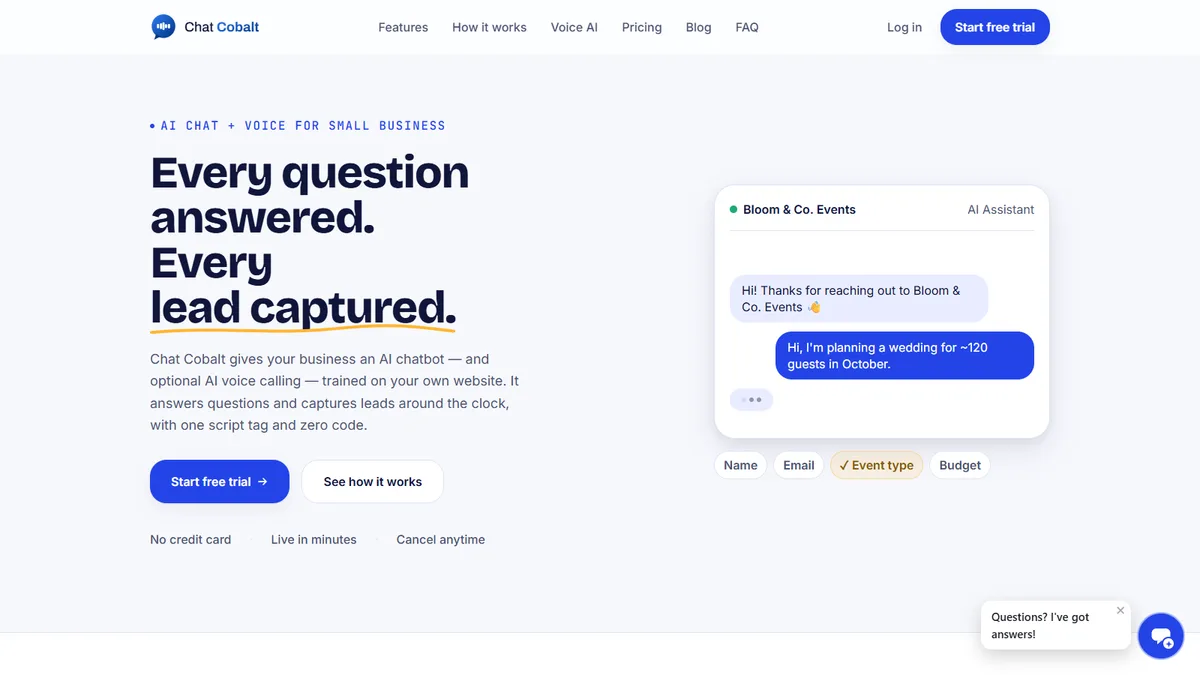
Chat Cobalt is Codebold's own AI chat and voice product. It answers your website chat and your phone, trained on your business's own website, and hands the flows on this page what they need: the booking, the reminder, the follow-up.
We run Chat Cobalt on our own business every day.
— Let's talk
One free call. We'll map it with you and tell you honestly whether it's worth automating.
Working with clients internationally, since 2013.
Tell us about your project and we will get back to you within 24 hours.